


Why It’s Important to Track Phone Call Conversions in Google Ads
If your business gets leads by phone, tracking calls is just as important as tracking clicks. Many people prefer calling instead of filling out a form, especially in industries like healthcare, real estate, or local services.
By tracking calls, you can:
- See which keywords and ads bring real conversations
- Focus on what actually drives results, not just traffic
- Make smarter decisions with better data
What Types of Phone Call Conversions Can You Track in Google Ads?
Google Ads lets you track phone conversions in 4 main ways. Each one gives you insights depending on how people interact with your ads:
1. Calls from Call Ads or Call Extensions
📍 Where? Directly from your Google Search ad.
📞 What? The user clicks on the ad and calls you without visiting your website.
✅ Pros:
Easy to set up
Great for mobile users
Tracks immediate engagement
⚠️ Cons:
No visibility on what the user would have seen on your site
Not suitable if your goal is to drive traffic to your website first
🎯 Best for: Local services, urgent needs, quick appointments, B2C
2. Calls to a Phone Number on Your Website (via Google Forwarding Number)
📍 Where? On your website, after someone clicks on your ad.
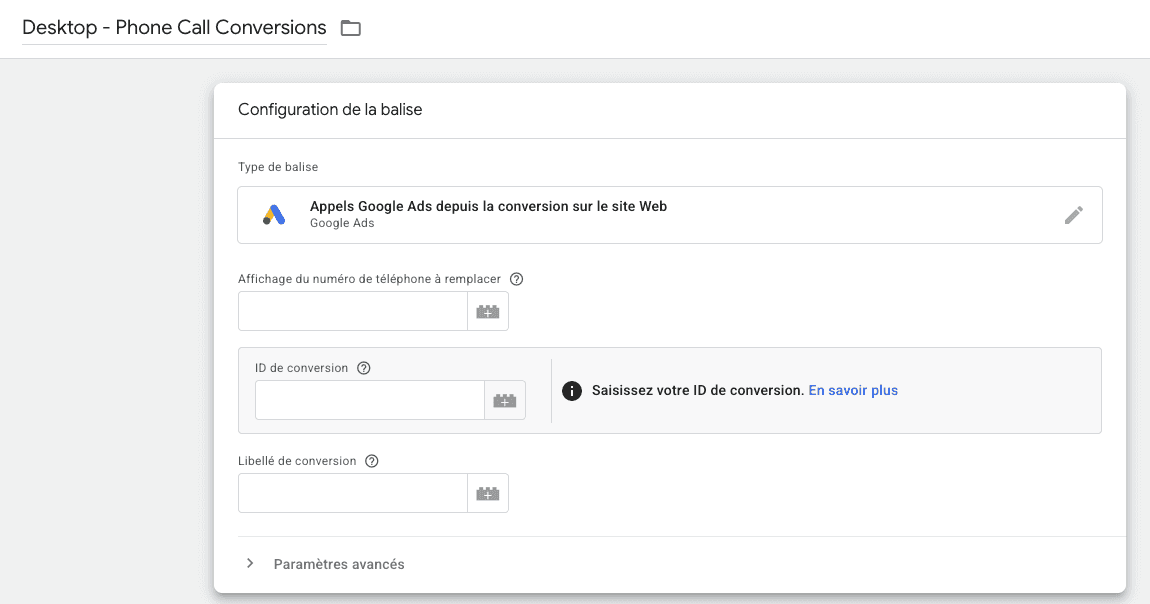
📞 What? Google replaces your phone number with a dynamic forwarding number to track the call.
✅ Pros:
Tracks conversions after a site visit
Provides data like call duration, time, and phone number (if available)
Helps optimize landing pages and keywords
⚠️ Cons:
Requires a dynamic number setup
Only available in certain countries
Best for: Businesses that close sales by phone after users visit their site
3. Clicks on a Phone Number on Your Mobile Website
📍 Where? On the mobile version of your website.
📞 What? The user taps a tel:+ link on their phone to start a call.
✅ Pros:
Simple to implement using GTM or basic code
Doesn’t require a Google forwarding number
⚠️ Cons:
No data on call duration or outcome
Best for: Simple mobile sites without complex tracking needs
4. Import Phone Call Conversions from a CRM or Call Tracking Tool
📍 Where? From your internal tools (like a CRM, CallRail, Aircall, etc.)
📞 What? You import actual phone call data into Google Ads.
✅ Pros:
Full control over the data (call duration, quality, outcome)
You can assign real business value to each conversion
Allows for advanced lead qualification and offline conversion tracking
⚠️ Cons:
Requires proper integration between your tools and Google Ads
Needs a bit more setup and technical know-how
Best for: Businesses with longer sales cycles, high-value calls, or CRM-based follow-up processes
How to Set Up Phone Call Conversion Tracking with Google Tag Manager
Before we dive into the setup, make sure you’ve already installed Google Tag Manager (GTM) on your website and that you have access to create and preview tags.
Now, let’s take care of one quick thing before adding the phone conversion tag: the Conversion Linker. This tag helps Google Ads track conversions accurately across pages and sessions. If it’s not already in your GTM container, here’s how to add it:
- In GTM, go to the Tags section
- Click New, then choose Tag Configuration
- Select Conversion Linker from the list
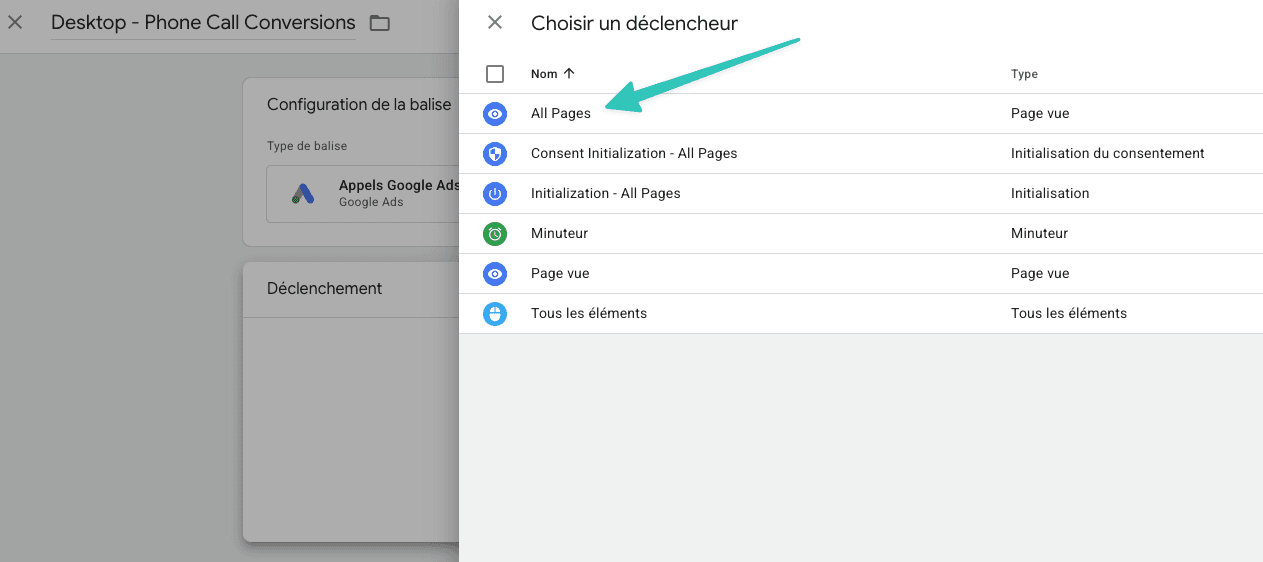
- Set the trigger to All Pages
- Save and publish your changes
Adding this tag ensures your future conversion data is properly linked to ad clicks.
Here’s how it works:
You create a trigger that detects when someone clicks on a phone number, and then fire a Google Ads conversion tag when that happens.