A Google Ads promo code is not something you request or buy: Google offers it itself, at sign-up, on the Promotions page of your account, or through a Google Partner. The offer is real, and almost everyone who receives it misreads what it is. A Google Ads credit does not reduce what you have to invest. It lands on your account afterwards, if you invested what was required, within the time allowed. The nuance looks small. It decides who keeps the credit and who loses it.
Where a Google Ads promo code comes from
Google says it in one sentence in its policy: “Promotional offers aren't available by request.” They come through one of these three doors:
- At sign-up: the new advertiser offer is claimed while you create the account. Depending on how you arrive, Google even asks you to choose the offer value before you sign up.
- On the Promotions page of your account, or by email: Google sometimes offers credit to existing advertisers who adopt a new feature, such as Performance Max, or reactivate a dormant account.
- Through a Google Partner: an agency or a freelancer with Google Partner status can grant credit to a new client directly.
The amounts you see online change by country, period and channel, and each offer only works in its own country: the US terms limit it to customers with a billing address in the United States. The only amount that counts is the one your account shows when you activate the offer.
What a Google Partner can grant you
Since Google reworked its Partners offers, certified agencies and freelancers choose which new client receives a credit, and which one, out of seven values. Each one works the same way: a first spend within 60 days of redeeming the offer, then the credit.
- Spend 500 USD, get 500 USD in credit.
- Spend 680 USD, get 630 USD in credit.
- Spend 1,400 USD, get 980 USD in credit.
- Spend 3,200 USD, get 1,600 USD in credit.
- Spend 4,500 USD, get 2,250 USD in credit.
- Spend 10,000 USD, get 5,000 USD in credit.
- Spend 12,000 USD, get 6,000 USD in credit.
Google states them in dollars, or the local equivalent. Read them as a ratio: the first tier returns 100% of the required spend, then the share drops, and from 3,200 USD the credit stops at half of what you spend.
Two conditions concern you directly. Your account must have been created less than 20 days ago, and no other promotion can be applied to it. So if you plan to work with a Google Partner, talk to them before you activate the welcome offer: once it is applied, theirs is no longer possible. The partner, for their part, has a monthly cap equal to 15% of their spend over the last 90 days: they cannot hand out credit at will.
Where to enter your promo code
When the offer comes as a code, you enter it in the Google Ads account that should receive the credit:
- Open the “Billing” menu.
- Select “Promotions”.
- Click the blue “+” button.
- Enter your offer code.
- Click “Submit”.
A codeless offer is applied from the same page, with the button next to it. If you manage several accounts from a manager account, the code cannot be entered at that level: open the Promotions page of the account itself. And if you want monthly invoicing, set it up before you enter the code: switching to invoicing afterwards invalidates the offer, and the credit amount with it.
A credit, not a discount
Google's own wording leaves no room: “These offers work like advertising credits. They are not discounts or refunds.” In practice, your advertising budget stays fully due. The credit lands on your account once the conditions are met, and it pays for future clicks.
Think of a fuel refund rather than a free tank. You pay for the fuel, you drive, and if you drove far enough within the window, Google credits you enough to drive a little more. Nobody paid for your departure.
The line nobody reads
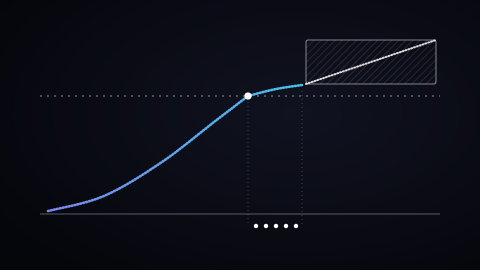
This is the most important sentence in the whole documentation, and the one articles on the subject keep skipping. Google writes that promotional credits cannot be used to pay for charges incurred before they are applied, and cannot cover the minimum spend requirement itself.
In other words: the threshold you must reach to trigger the credit is paid entirely with your own money. The credit does not fund itself. An advertiser counting on it to absorb part of the threshold finds out at invoice time, and that is exactly the miscalculation that leads to spending more than planned.
Three eligibility conditions
The offer targets new advertisers, and the three conditions stack:
- An account created less than 14 days ago when the code is used. Google adds a nuance: most offers must be applied at sign-up, and only some give you 14 days after creating the account. The 14-day window is a maximum, not a guarantee.
- A valid payment method saved on the account.
- No previous Google Ads advertising for the same business. This is the condition that rules out most candidates: opening a fresh account for a business that already advertised does not restart eligibility.
The first one deserves a pause, because it reverses the usual order of things. The 14-day window starts at account creation, not when you receive the code. Creating the account “just to see what it looks like”, then spending three weeks preparing a serious launch, burns the window before the first euro is spent.
One detail, on the other hand, opens the door to some established businesses: Google also treats you as a new advertiser if you expand an existing business to a different country, with a new billing address.
Four clocks run at once
The mechanism chains four independent deadlines, and each one can cost you the credit:
- 14 days between account creation and using the code.
- The window set by the offer to reach the required spend: 60 days from redemption, for Google Partners offers.
- Up to 35 days of eligibility verification once the conditions are met, before the credit actually appears.
- 60 days to spend the credit once it is applied to the account.
The third one surprises the most: between meeting the conditions and seeing the credit, more than a month can pass. An advertiser who sees nothing after two weeks usually concludes it did not work, and stops. That is the most ordinary way to lose a credit you had earned.
Your payment setting changes the rules
This is the most overlooked part of the subject, and it changes what you actually have to do. Google applies three different treatments depending on how you pay.
- Automatic payments: the credit shows on the billing summary under “Active Promotions” within the verification window. Costs incurred before the credit arrives, or after it runs out, are still charged to your payment method.
- Manual payments: Google recommends paying slightly more than the required amount, because delivery can stop before the balance is fully used. And one detail that costs money: VAT has to be counted in the spend threshold.
- Monthly invoicing: account setup must be complete before the code is applied, because later configuration changes invalidate the offer. In exchange, credit left unused in the month carries forward to the next one until spent.
The VAT line deserves a stop, because it changes everyone's maths. A threshold calculated excluding tax gets missed at the tax-inclusive invoice, and a missed threshold cannot be recovered afterwards.
Five different credits, only one is a promotion
Seeing a credit on your account does not mean your promotion arrived. Google applies several types of adjustment, and mixing them up creates the belief in a credit that is not there:
- One-time credit: the promotional code, valid only for future advertising costs, and non-refundable.
- Invalid activity: refunds for clicks and impressions generated by bots or automated tools.
- Overdelivery: granted when Google served your ad too often and went past your daily budget.
- Overcharge: on manual payment accounts, when advertising costs exceed the prepaid balance.
- Excess credit: a negative balance kept for later use, depending on the country.
A reading direction that surprises: with automatic payments a credit reduces your account balance, while with manual payments it increases it. The same event displays in opposite directions depending on your setup.
What a credit does not fix
A credit speeds up an account that works. It builds nothing. When a launch goes wrong with a credit, the cause is almost always one of these three, and none of them is solved with extra money:
- No reliable conversion measurement. Without it, the credit funds clicks nobody can evaluate. That is a prerequisite, not an optimisation. A properly built tracking setup comes before the first euro.
- A generic landing page. The credit pays for the visitor's arrival, not the conversion. Sending paid traffic to a homepage funds visits that nothing is waiting for.
- An account with no structure. A single campaign mixing every intent learns badly, and an algorithm that learns badly over 60 days of credit will still learn badly after.
One calculation shows where the threshold gets lost. Take a 500 euro threshold. In France, at 20 percent VAT, reaching 500 euros of spend means 600 euros including tax. An advertiser tracking the balance tax-inclusive and stopping at 500 euros has actually spent 416.67 euros excluding tax: the trigger is missed by 83.33 euros, while the bank statement shows exactly the amount the offer announced. It is the most common scenario, and it cannot be recovered afterwards.
The code you found online
Searching for a free Google Ads promo code quickly leads to deal sites. Before you even ask where such a code comes from, it runs into Google's terms:
- The credit is non-transferable: it “may not be sold or bartered”, and the policy lists selling credits among unauthorised uses.
- It only works in one country: the US offer requires a billing address in the United States, the French one in France, the Spanish one in Spain.
- It expires on the date shown on the voucher, or 3 months after it was first issued.
Between a credit and a suspension that can extend to every linked account, the choice is quick! The legitimate code is the one Google shows in your account, or the one a Google Partner grants you.
Four rules that are not negotiable
The official policy sets limits nothing works around, and each one costs the credit to those who ignore it:
- One credit per customer. Using several promotional credits per customer is explicitly listed among unauthorised uses, and so is reselling credits.
- No retroactive application: Google cannot grant promotional offers retroactively. Finding the offer after you launched is worth nothing.
- No reactivation: expired promotional offers cannot be reactivated or modified. A missed deadline is final.
- No refund: if you disable your account before spending the credit in full, the remaining balance is not refunded.
And the penalty for working around this goes beyond the credit itself: repeated violations lead to account suspension, and potentially to the suspension of every linked account. Opening several accounts to stack offers is the fastest way to lose all of them.
Frequently asked questions
Is Google Ads free or paid?
Paid. You cover your ad spend with your own payment method, and a promo code changes nothing at the start: the credit only funds future spend, once the required spend is reached and paid by you. It lightens your next campaigns, it never makes the launch free.
Is a promo code only for new accounts?
The welcome offer is: it targets businesses that never advertised on Google Ads, with an account less than 14 days old. Existing advertisers sometimes receive other offers, tied to a new feature or to reactivating a dormant account. They show up on the Promotions page or arrive by email, with nothing to request.
How do I check that my promo code was applied?
In the “Billing” menu, on the “Promotions” page: each offer is listed with its redemption date, expiration dates and status. Once the required spend is reached, allow up to 35 days before the credit appears: an empty screen in week two does not mean the offer failed.
Verdict
- Take the credit if you were launching anyway: it is money added to a plan that already exists.
- Look for your code in the right place: at sign-up, on the Promotions page of your account, or with a Google Partner, whom you talk to before you activate the welcome offer.
- Do not build your launch around it. The threshold comes out of your budget, and the 14-day window starts at account creation, not when you are ready.
- Prepare the ground before opening the account: conversion measurement, landing page, structure. Fourteen days go fast when everything is still to be done.
- Compute your threshold tax included, and on manual payments plan a little extra: missing the trigger by a few euros is the most ordinary failure.
If you are preparing a launch and want to know what must be in place before the first euro, that is what I frame in a Google Ads engagement, and I set the target with the target CPA calculator.